Home Office Organization Guide for São Paulo Apartments
Where the workspace lives when no room is free, how to split the area into zones, and what makes the setup survive past the first week. By Silvana Santanna, certified personal organizer.
Neste guia você verá:
- 01Where should the home office live in the apartment?
- 02How to split the workspace into zones
- 03How to position monitor, desk and chair
- 04Paper documents and digital files
- 05How to separate work and home without a door
- 06What keeps the home office organized
- 07How the professional process works
- 08When hiring is worth it
- 09Posts by topic
- 10Frequently asked questions
An organized home office is a workspace inside the home where every item has a fixed address, paper has a defined way in and out, and the working day ends without leaving a trace on the domestic room. It is not a tidy desk: it is a setup that survives until Friday.
This guide covers what it takes to build and keep a home office in a São Paulo apartment, where a dedicated room almost never exists: how to choose the right spot in the floor plan, how to split the area into zones, how to position the equipment, what to do with paper and digital files, and how to close the day when the office shares a wall with the living room.
Where should the home office live in the apartment?
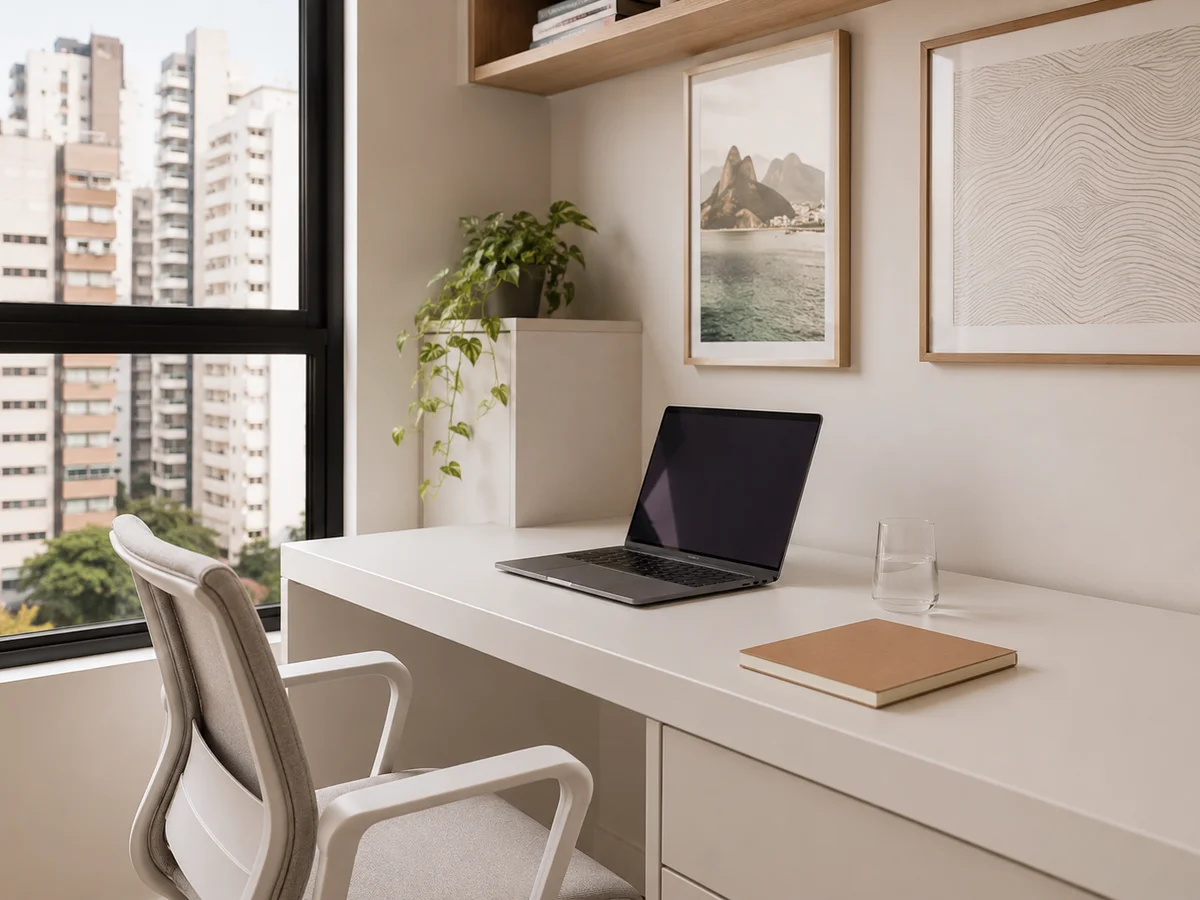
Choose by noise and by light, not by the space left over. The best spot is the one with the least foot traffic during working hours, with the window to the side of the desk rather than behind or facing the screen. In a compact floor plan that usually rules out the living room during the day and points to the bedroom, a stretch of hallway or a free wall in the guest room.
Deciding where it goes comes before any purchase. The desk usually ends up in the only empty gap in the home, and the problem shows up two weeks later, when the household routine crosses working hours: the bathroom door opening alongside it, the television at five, the afternoon glare landing straight on the screen.
Space constraints in São Paulo make that choice even more decisive. Between January and July 2023, 81.6% of the properties launched in the city measured up to 45 square meters, according to Secovi-SP. At that size the home office does not get a room: it takes a stretch of another one and starts sharing a function with it.
The home office stopped being temporary
It is worth building the space as permanent because it is permanent. According to IBGE figures reported by Agência Brasil, 7.9% of Brazilian workers were working from home in 2024, or 6.6 million people. The share fell for the second year running after peaking at 8.4% in 2022, and that decline is exactly what changes the reading: whoever still works from home today is not in a temporary emergency arrangement, but in a format that has settled.
The three criteria that decide the spot
- Foot traffic during working hours, measured on a real day rather than on the floor plan: a hallway that is empty at nine in the morning can be a constant route at six in the evening
- Natural light entering from the side, because a window behind the screen creates glare and a window facing it blinds you on video calls
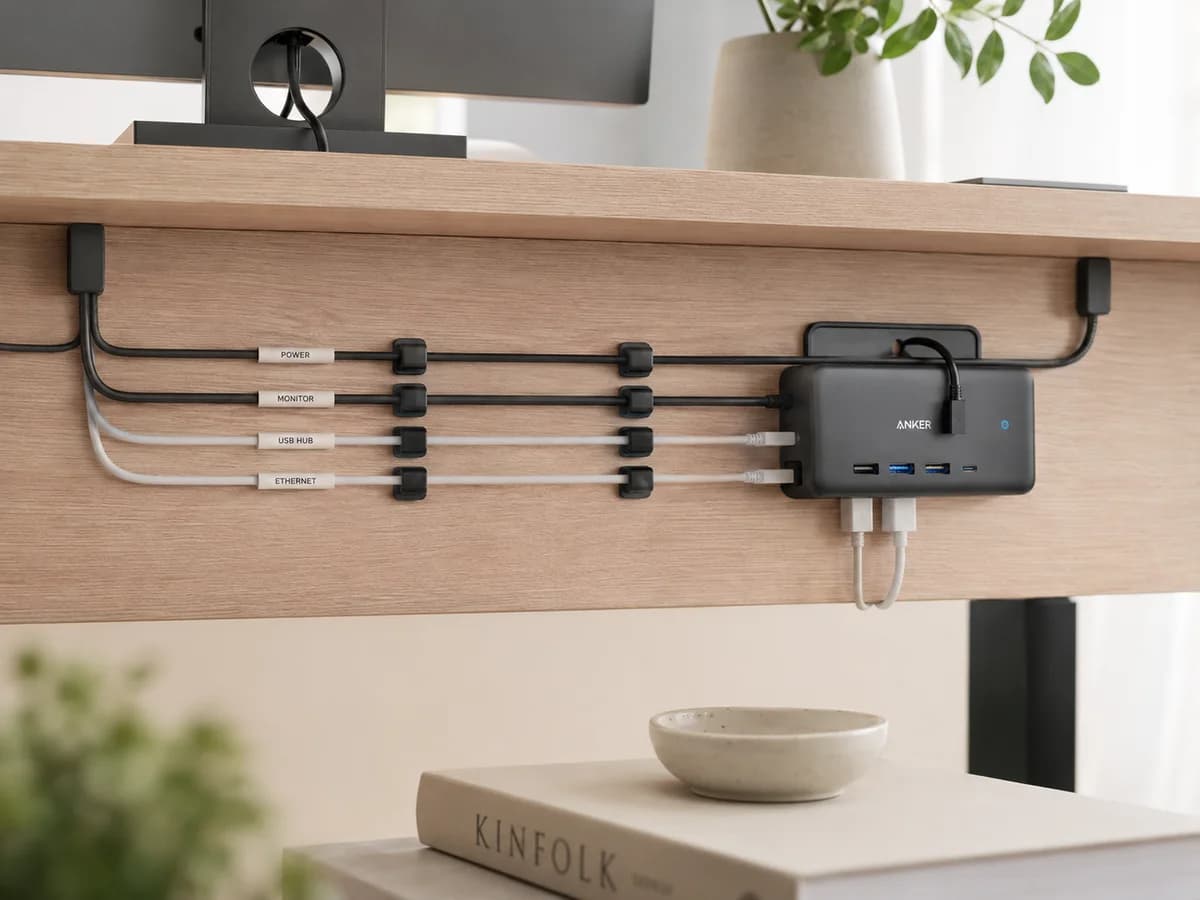
- Power and network points close enough to avoid an extension cord crossing the floor, an item that is both a trip hazard and a permanent source of cable disorder
How to split the workspace into zones?
Set four zones: focus, reference, supplies, and paper in and out. The focus zone is the desk, and only what is in use today stays on it. Reference holds what you consult without using daily. Supplies stays closed in a drawer. In and out is a single tray, which keeps newly arrived paper off the working surface.
A zone is not the same as a piece of furniture. In a small apartment the four zones fit on one desk, one shelf and one drawer, as long as each has a clear boundary. What breaks the system is the zone without a border: the desk that receives mail, the shelf that holds decor and work material at once, the drawer that became a graveyard for old cables.
Each zone is broken down, with what belongs in it and what leaves it, in the post on how to organize a home office, which also covers the cable inventory and the list of what stays on the desk.
The reference zone is the one that grows
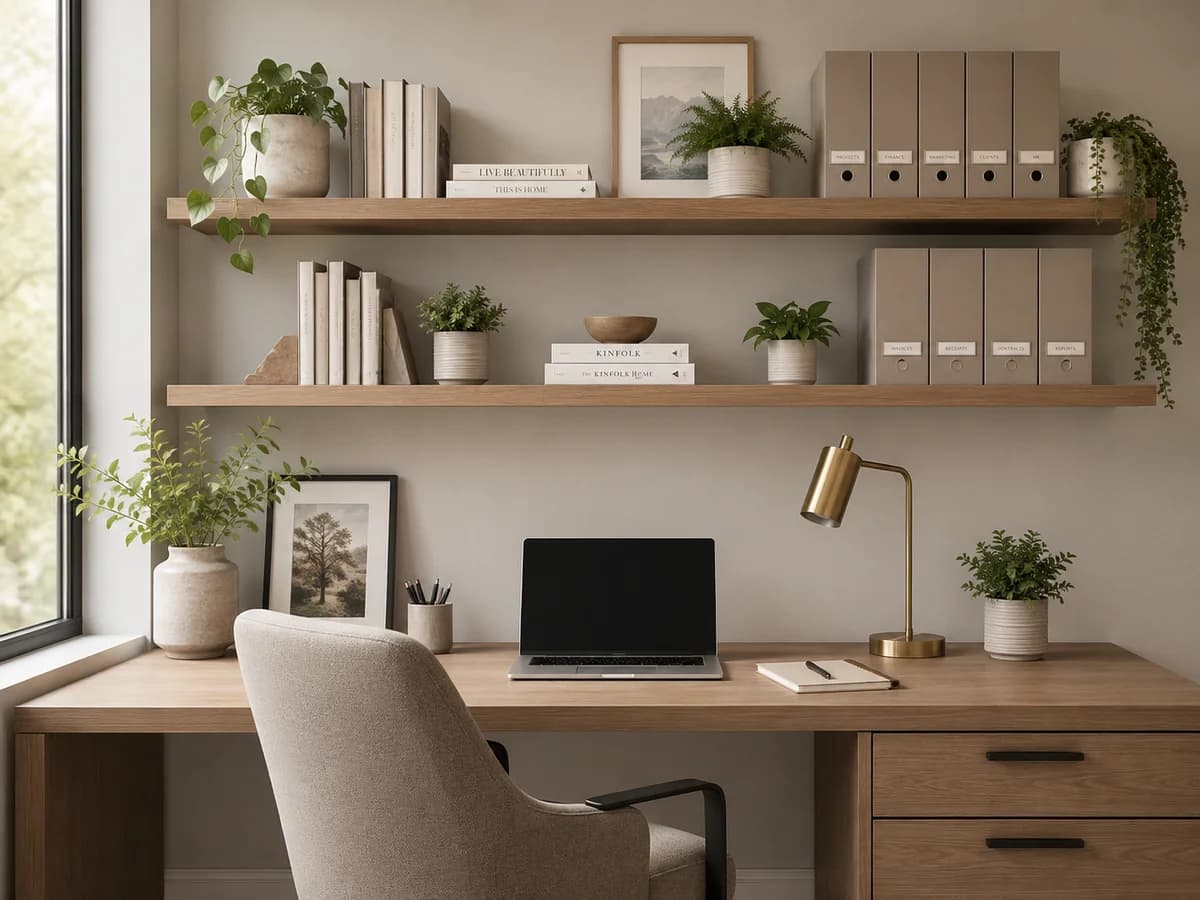
Technical books, active project folders, equipment manuals and printed reference material pile up faster than any other home office category, because they almost never have an exit criterion. Wall shelving solves the space and a twice-yearly review solves the volume. Once the collection outgrows one bookcase, apply the criterion used for organizing books at home, by use rather than by subject.
How to position monitor, desk and chair?
Start with the monitor and arrange everything else around it. OSHA recommends keeping the screen between 50 and 100 centimetres from the eyes, with the centre of the monitor 15 to 20 degrees below the line of sight. Once the screen is set, keyboard and mouse take the band directly in front, the notepad sits on the writing-hand side, and the rest of the desk stays clear.
Ergonomics and organization solve the same problem by different routes. A desk where the body works crooked produces improvised supports: a book under the laptop, a box under the feet, the keyboard pushed to the corner. Every improvisation becomes a permanent object on the surface, and the desk never clears because half of what sits on it is structural.
What the desk should not carry
A printer on the working desk is the most frequent layout mistake in a compact home office, and the second is the printer on the far side of the room. In both cases printed paper has nowhere to land and returns to the working surface. The right spot is close but off the desk: a low shelf, a drawer unit or a niche, always with an output tray beside it.
How to handle paper documents and digital files?
Treat both archives as one system, with the same categories and the same names. Paper enters through a single tray and leaves through three destinations: action this week, project in progress, and permanent file. Anything that fits none of them is scanned or discarded. On the digital side one rule holds it together: a folder per project or area, never by download date.
Documents are the category where a home office differs from any other room in the house. In a closet, the wrong item delays the morning. In an archive, the lost item costs working hours and sometimes forces you to redo what was already finished.
What has to stay on paper
- Signed contracts, identity documents, certificates and receipts that require an original
- Warranty documents still within their term, with the invoice stapled to the manual
- Tax-relevant paper within its statutory retention period, separated by year
- Everything else: scanned with a phone scanning app, named to the same standard as the digital archive, and discarded on paper
The practical test is a single question: if this sheet disappears and is needed six months from now, what happens? A mild inconvenience means scan and discard. A serious problem means keep the original. The step-by-step sorting, categories and retention periods are detailed in the post on how to organize personal documents at home.
A home office redone more than once and always back to the same state: the on-site assessment maps the real flow before any layout decision.
Request an assessment →How to separate work and home when there is no door?
Replace the door with a closing gesture that is always identical and always at the same hour. Putting the laptop away in a defined drawer, clearing the material into a cart or box and switching off the work lamp end the day and hand the room back to domestic use. The ritual has to be short, two to three minutes, or it is abandoned in the first busy week.
Without a physical boundary, the boundary becomes temporal and material. What makes the difference is not the intention to stop at six: it is the room ceasing to look like an office at six. As long as the open laptop stays on the dining table, the room keeps broadcasting the work signal to everyone who lives there.
When the home office shares the bedroom
A desk inside the bedroom needs visual separation, not only a schedule. A screen, a curtain, low shelving, or simply turning the chair away and covering the monitor at the end of the day all serve that purpose. The bedroom has to become a bedroom again before bedtime, or the association between the room and rest comes apart.
When two people work in the same room
Here the system stops being purely spatial. Each person needs their own storage point with a fixed address, and the pair has to agree on three things: which signal means a call is in progress, how overlapping meeting hours are handled, and what may stay on the shared surface. In a shared room the conflict is rarely about square metres, it is about simultaneity.
What keeps the home office organized?
Three short routines hold the system: the end-of-day reset, two to three minutes, which returns the desk to its starting state; the weekly review of the inbox tray, which stops paper piling up without a destination; and the twice-yearly review of the reference zone, which removes what is no longer consulted. None depends on willpower, because all are short enough to happen on a bad day.
Home office organization fails through quiet accumulation, not collapse. One sheet without a destination on the desk gets in nobody's way. Ten sheets already occupy the working area, and by the point they get in the way there is no longer any criterion to sort them, because nobody remembers which project each one belongs to.
- Daily closing reset: clear surface, material returned to its storage point, chair back in place
- Weekly review of the inbox tray, always on the same day, with a destination defined for each sheet
- Monthly clean-up of the downloads folder and the digital desktop, applying the same categories as the paper archive
- Twice-yearly review of the reference zone, removing closed project folders and outdated reference material
- Annual inventory of cables and peripherals, discarding whatever belongs to equipment that has left the house
For anyone who struggles specifically with upkeep routines, the starting point is reducing the number of decisions, not increasing discipline. The post on organizing with ADHD details how to build a system with fewer steps and a visual cue at every storage point.
How does the professional home office organization process work?
The process runs in four stages: assessment, sorting, implementation and upkeep. In a home office the difference sits in the assessment, which watches the work happening rather than the space standing still. The layout can only be redesigned once the path of paper, equipment and person becomes visible.
- Assessment: mapping the room, the type of work, the paper flow and the hours when the space shares a function with the rest of the home
- Sorting: separating documents, equipment, cables and reference material, with a destination defined for whatever leaves circulation
- Implementation: defining the four zones, positioning the equipment, and building a paper and digital filing system with matching categories and a label at every storage point
- Upkeep: closing and review routines calibrated to the real working rhythm, handed over working before the project ends
Home office projects tend to have their outgoing volume concentrated in two categories: paper that has served its purpose and peripherals for equipment that no longer exists in the house. That volume is what frees the supplies zone and the reference zone, and without it the new layout is born with no slack.
How long it takes
A compact home office with desk, shelving and files is usually finished in one day. Spaces with a high volume of documents, equipment or specific material, such as samples and photographic archives, run to two days. When the workspace shares a room with a bedroom or living area, the schedule also covers reorganizing domestic use. The assessment sets the schedule before the work starts.
When is hiring worth it, and when can you do it yourself?
One spare afternoon and a sorting criterion solve plenty of home office problems. Others carry the signature of a layout fault, and there tidying again produces the same result in a different configuration.
You can probably handle it yourself when
- The space fits what exists and the irritation is the internal order of the desk, the drawer and the cables
- The archive is small and sorting paper does not stall on emotional decisions or on doubts about retention periods
- The home office has a room of its own and does not share a function with a bedroom, living room or circulation area
It is worth calling a professional when
- The space has been reorganized more than three times and always returned to its previous state within weeks
- The work involves physical material beyond paper, such as samples, photographic equipment or a technical collection, and no configuration accommodates it all
- Two people work in the same room and calls overlap every week
- The volume of accumulated paper has stalled the sorting and the archive keeps growing without categories
- The home office occupies part of a shared room and closing the working day never actually happens
- The home is rented and the solution has to work without drilling walls or altering the structure
None of these signals points to a lack of discipline. They point to a space adapted out of convenience and never designed for the work that happens in it. A home office that works has defined zones, equipment positioned before everything else, and an exit point for everything that comes in.
Posts by home office topic
Each post goes deeper into one topic from this guide, with method, real examples from projects in São Paulo and practical guidance.
Frequently asked questions about an organized home office in São Paulo
Where should the home office go when no room is free in the floor plan?
Choose by household noise and by light, not by the empty spot. The best position is usually the one with the least foot traffic during working hours, with the window to the side of the desk rather than behind the screen. In a compact floor plan that normally rules out the living room during the day and points to the main bedroom, a stretch of hallway or a corner of the guest room. The deciding factor is the time of day, because the same corner can be quiet at nine in the morning and unusable at seven at night.
What is the correct monitor distance and height in a home office?
OSHA recommends keeping the monitor between 50 and 100 centimetres from the eyes, with the centre of the screen 15 to 20 degrees below the line of sight. The monitor is the first item to place, because keyboard, wrist rest, notepad and clear surface all arrange themselves around it. When the screen goes in last, into whatever desk space is left, nothing else ever finds a fixed place.
How much time is lost searching for information at work?
Research by the McKinsey Global Institute estimated 1.8 hours per day, or 9.3 hours per week, spent searching for and gathering information. In a home office that search runs twice, through the paper archive and through the digital one, and neither usually has a defined owner. The document system belongs to organizing the space, not to a separate task for later.
How do you close the working day when the home office sits in the living room?
Without a door, the boundary has to be a gesture repeated at the same hour. Putting the laptop away in a defined drawer, clearing the day's material into a cart or box and switching off the work lamp end the day for the brain and hand the room back to domestic use. The ritual works because it stays short, identical and always in the same place. A long ritual will not survive the first busy week.
What is the difference between organizing the home office yourself and hiring a professional?
On your own you solve the surface: desk, cables, supply drawer and digital files. A professional solves what sits underneath, which is layout and flow. Where the printer lives, how paper enters and leaves, what happens when two people work in the same room, and why the space returns to its previous state in three weeks. If the setup has already been redone more than three times and never held, the fault is in the flow, and redoing the surface will not change the result.
Two people sharing one home office: what changes?
The system stops being only spatial and becomes a matter of protocol as well. Each person needs their own storage point with a fixed address, and the pair has to agree on the signal for a call in progress, on overlapping meeting hours and on what may stay on the shared surface. In a shared room the conflict is rarely about square metres: it is about simultaneity, and the agreement solves what a partition alone cannot.
How long does professional home office organization take?
A compact home office with desk, shelving and files is usually finished in one day. Spaces with a high volume of documents, equipment or specific work material, such as samples and photographic archives, run to two days. When the home office shares a room with a bedroom or living area, the schedule also covers reorganizing what belongs to domestic use. The on-site assessment sets the schedule before the work starts.

About the author
Silvana Santanna →Personal Organizer in São Paulo, specialized in residential move organization and functional organizing projects for homes, closets, kitchens, trousseaux and home offices. Creator of the Casa Pronta™ Method, with more than 100 projects completed across São Paulo and the greater metro area.
A workspace that ends
the day organized.
An on-site assessment to map the working flow and the room before any layout decision.